

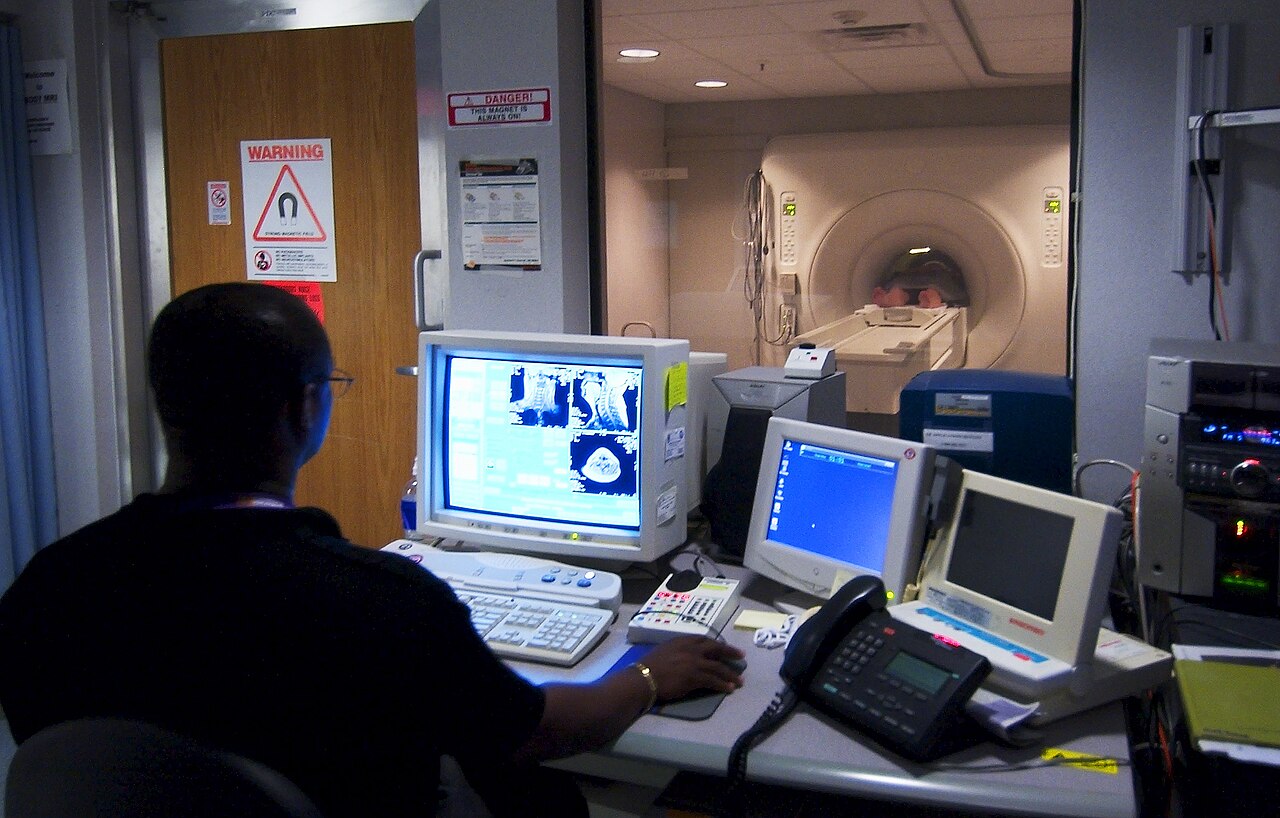
A patient sits in an MRI suite while a radiologist three suburbs away reviews a scan on screen. Drop a network link, break an identity token, or stall a mail server for ten minutes, and clinical care slows down across the entire group.
Diagnostic imaging groups face a tough operational problem. They run high-throughput clinics across multiple suburbs, each handling CT, MRI, ultrasound, X-ray, and interventional procedures. Yet core back-office systems—directory services, email and collaboration suites, backup targets, and local area networks—often carry years of patchy fixes when internal IT teams are lean.
Upgrading core infrastructure without halting patient flow takes staged planning, honest trade-offs, and tight testing with clinic staff. Looking at how Spectrum Medical Imaging operates across Sydney shows what happens when an independent diagnostic group modernizes its foundation while keeping clinical work moving.
Table of Contents
Why multi-site diagnostic clinics hit a wall during upgrades
Diagnostic imaging is not a standard 9-to-5 office environment. Clinics across Eastern, Southern, and South Western Sydney handle walk-ins, GP referrals, hospital procedure lists, and Saturday sessions. Front-desk receptionists book appointments, radiographers push large imaging studies, and subspecialists coordinate reports across sites.
When internal IT capacity is stretched, small cracks in the foundation turn into daily friction. Outdated Active Directory setups create permission mismatches, slow logins, and brittle group policies across locations. Legacy messaging and file tools make cross-site coordination clunkier as a practice grows.
"In healthcare IT, a clever migration plan fails on paper if it ignores how a busy clinic actually runs between morning and afternoon patient lists."
IT leaders often delay core changes because they fear downtime more than technical debt. Leaving broken directory structures or aging collaboration tools in place feels safer for a week or a month. Over time, though, brittle identity and network layers raise support tickets, slow routine changes, and make broader security and recovery controls harder to enforce.
Using Sydney clinics as a real-world blueprint
Across Sydney—from Randwick and Bondi Junction to Liverpool, Bankstown, Miranda, and Campbelltown—independent radiology practices juggle busy local patient lists and specialized modalities. Spectrum Medical Imaging runs multiple Sydney locations offering diagnostic and interventional radiology.
When a multi-site practice outgrows ad-hoc support, piecemeal fixes stop working. Rebuilding directory health, shifting collaboration platforms, and tightening backup and network management require an orderly sequence rather than a big-bang switchover. Details on Spectrum Medical Imaging’s IT transformation highlight how a multi-site medical group can tackle core identity, collaboration, backup, and network work in practical stages alongside an external specialist partner.
Four practical steps to overhaul core systems with zero clinic disruption
Moving 380 users across active sites without derailing clinical work demands discipline before a single account moves. IT teams and managed service partners typically follow four steps to keep clinics running smoothly:
- Audit and fix Active Directory first. Migrating collaboration tools on top of a messy directory spreads bad permissions and broken sync rules everywhere. Reviewing and cleaning up Active Directory early establishes a clean identity baseline before shifting user workloads.
- Run structured User Acceptance Testing (UAT) with real staff. Lab tests never catch every workflow quirk. Involving representative users from clinic teams before cutover validates email routing, calendar habits, and daily tools under realistic conditions.
- Lock down managed backup and recovery early. Any infrastructure shift carries risk. Putting managed backup in place—such as SmartPROTECT—gives teams verified recovery points and clearer data protection before major migrations and network changes roll out.
- Bring network and infrastructure management under one roof. Once identity, collaboration, and backups stabilize, extending proactive monitoring across clinic networks and server farms catches link degradation and hardware faults before staff notice slowdowns.
Trade-offs clinical and IT leaders have to weigh
No infrastructure overhaul is free of friction. Every technical decision involves a trade-off between control, speed, and day-to-day convenience in busy clinics.
- Change windows vs. clinic hours: Many sites run extended weekday hours and weekend sessions, leaving narrow maintenance windows. Pushing changes during peak booking hours risks queues at reception, while off-hours work requires clear escalation coverage.
- Standardization vs. site habits: Moving from Google Workspace to Microsoft 365 gives a growing organization unified identity, mail, and collaboration tools, yet staff used to older habits need clear guidance and support during the shift.
- Lean internal IT vs. external specialists: Smaller internal teams know clinic culture inside out, while external partners bring dedicated migration runbooks, 24/7 monitoring, and broader security depth. Pairing both works best when ownership and handoffs stay clear.
What comes after the initial migration
Completing a core platform move is a milestone, not the finish line. Multi-clinic medical groups keep expanding services, opening branches, and adopting higher-throughput imaging programs.
After stabilizing identity, collaboration, backups, and clinic networks, IT leaders naturally turn toward broader server farm management and dedicated incident response readiness. Medical records and imaging data carry high sensitivity, so fast detection, clean recovery paths, and disciplined network oversight remain essential long after cutover day.
For multi-site healthcare practices, steady execution beats flashy promises every time. Fix the identity foundation, test with real clinic users, protect backups, and keep clinical care moving at full pace.