

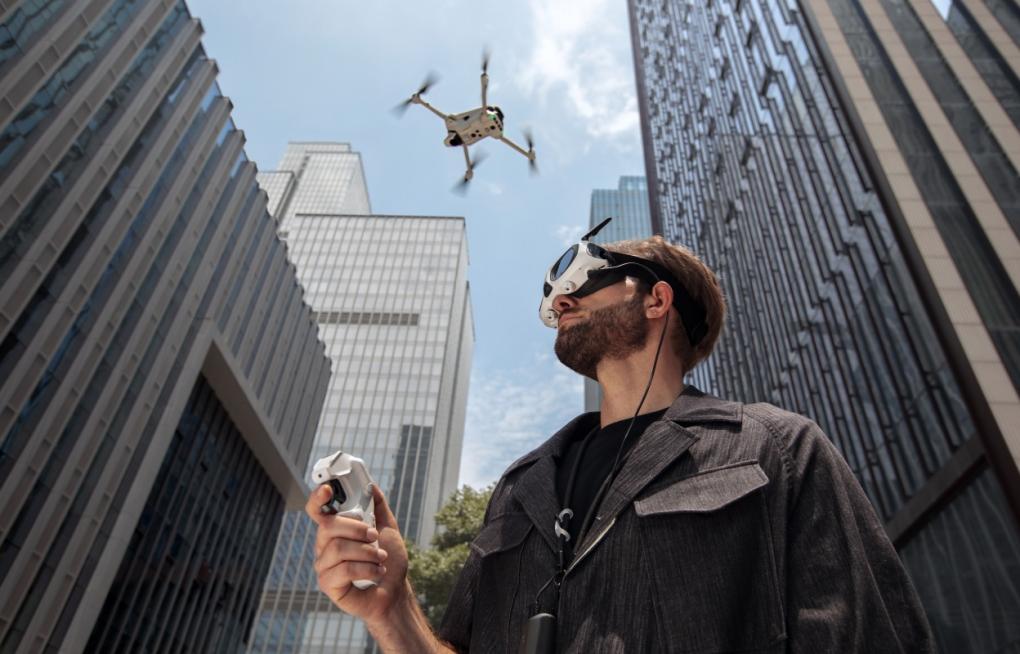
Choosing your first drone often comes down to how you want to see the flight. Some beginner-friendly models use goggles, while others rely on a phone screen connected through an app. That choice affects comfort, confidence, setup time, and how immersive the flying feels from the start. For most newbie pilots, a phone feels easier and more familiar, but goggles can make flying more exciting and cinematic. The better option is the one that matches your learning style. If you want a simple answer: choose goggles for immersion, and a phone for convenience.
Table of Contents
How Do Goggles and Phone Screens Change the Experience?
Goggles Bring the Camera View Into Your Field of Vision
Goggles place the live camera feed in front of your eyes, making the view from the aircraft central to the experience. Antigravity A1 uses Vision goggles with micro-OLED displays, 2560 × 2560 resolution per eye, and an approximately 90° diagonal field of view. In FreeMotion mode, you can turn your head to look around without changing the drone’s flight direction. This lets you explore the scene while following a planned route. Navigation Assist keeps the forward view visible as you look elsewhere. For beginners interested in immersive flying, this combination offers a way to observe the landscape and follow the aircraft’s direction through the same headset during your practice flights.
A Phone Screen Lets You Alternate Between Screen and Surroundings
A phone screen lets you alternate between the camera feed and a direct view of the aircraft. Beginners can check framing on the display, then look up to observe the drone during takeoff, landing, and regular outdoor practice. Familiar settings, such as screen brightness and app navigation, may also make preparation feel more straightforward. The controller determines how you steer; using a phone as the display does not necessarily mean flying with touchscreen controls. Many setups combine a mounted phone with physical sticks. If you prefer to watch both the live feed and the aircraft, a phone provides a viewing arrangement that supports this approach throughout a planned practice session.
What Practical Differences Matter Before You Buy?
Compare Viewing Comfort and Awareness
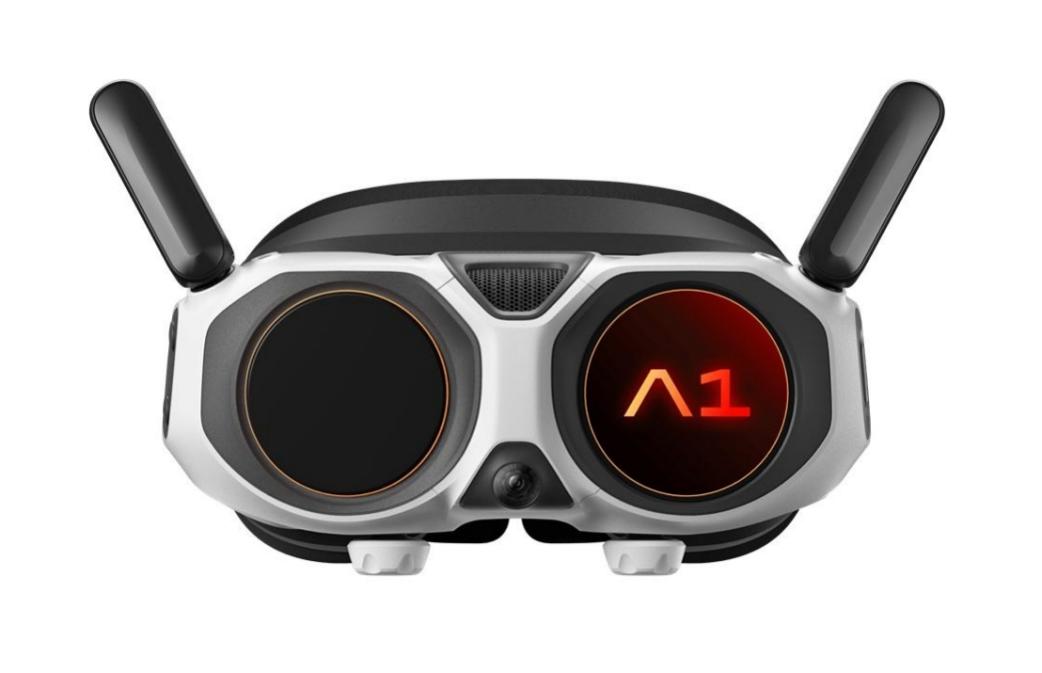
The best drone with camera for beginners should provide clear flight information and a comfortable view. With goggles, check the headset position, strap adjustment, and whether the image appears clear across the display. Antigravity A1’s Vision goggles include diopter adjustment from +2D to −5D, allowing users to adjust focus to suit their eyesight. With a phone, consider screen size, brightness settings, and the position of the controller mount. Try holding the complete setup in your normal flying posture before choosing. A brief demonstration can help you assess both approaches. Check whether you can read flight information clearly and how you will monitor your surroundings when flying with your chosen display and controller.
Check Compatibility, Setup and Battery Needs
Before buying, check how the aircraft, controller, and display work together. For a phone-based setup, confirm the supported operating systems, app requirements, connection method, and controller mount size. Plan charging for both the phone and the flight batteries. For goggles, check headset fit, pairing instructions, and the charging needs of the aircraft, controller, and display. Antigravity A1 combines the aircraft with Vision goggles and the Grip motion controller for its immersive flight experience. Reviewing the included equipment helps you understand what to prepare before each session. Choose a setup whose connection and charging routine fits how often you expect to fly and where you will practise during regular use.
Which Setup Matches the Way You Want to Fly?
Consider Goggles for an Immersive Flying Experience
Goggles suit beginners who want to explore the view from the aircraft throughout the flight. They can be appealing for scenic routes, recreational flying, and observing how the landscape changes as the drone moves. Antigravity A1 pairs this viewing approach with its Grip motion controller. In FreeMotion mode, point the controller in the intended direction and pull the trigger to move. Looking around and directing the aircraft are separate actions, giving you flexibility in how you view the route. The built-in flight simulator also provides a place to practise controls before flying outdoors. Consider this setup if immersive viewing and motion inputs match the experience you want to learn first.
Consider a Phone for Familiar Screen-Based Viewing
Choose a phone if you want a gentler learning curve and a setup that feels immediately understandable. Most beginners already trust their phone as a display, so the experience can feel more approachable during early flights. You can monitor the live view, check controls, and still look up quickly to keep the drone in sight. That balance often makes basic practice less intimidating. A phone-based setup also works well for someone who wants occasional flights without extra gear on the face. If convenience, familiarity, and environmental awareness matter most, a phone is usually the better first choice. For straightforward beginner use, it often provides the smoothest path into drone flying.
Conclusion
Your first drone should fit the way you want to practise and view each flight. Goggles provide an immersive perspective, while a phone lets you alternate between the camera feed and direct observation of the aircraft. Compare display comfort, control style, compatibility, and charging routines before deciding. Antigravity A1 offers a goggles-based experience with Vision goggles, FreeMotion control, and a built-in simulator for practice. A demonstration can help you judge how that approach feels. Choose the viewing setup that suits your intended flights and makes the controls and flight information clear during each session you plan.